Juwon Bible100% Free
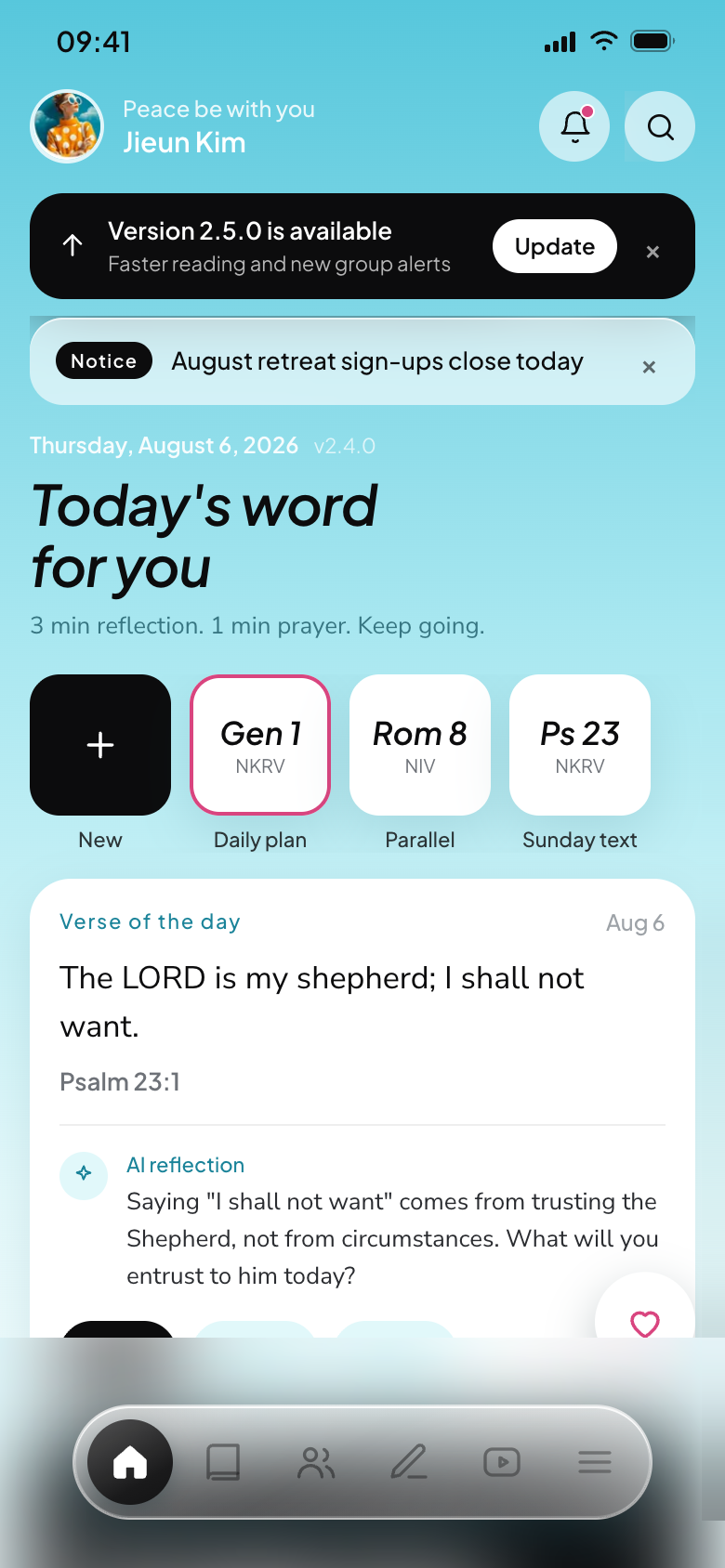
1,284 people are in the Word right now

The Bible app
you don't read alone

Open three books side by side, follow cross-references without losing your place, and share today's reading with your small group. Nothing like the scroll-and-forget Bible apps.

Trusted by small groups at 412 churches
128,400
people reading together
3,120
connected groups
8,942
prayers shared today
2,140,000
chapters read so far
As of Aug 6, 2026 · live totals
01 — SIDE BY SIDE

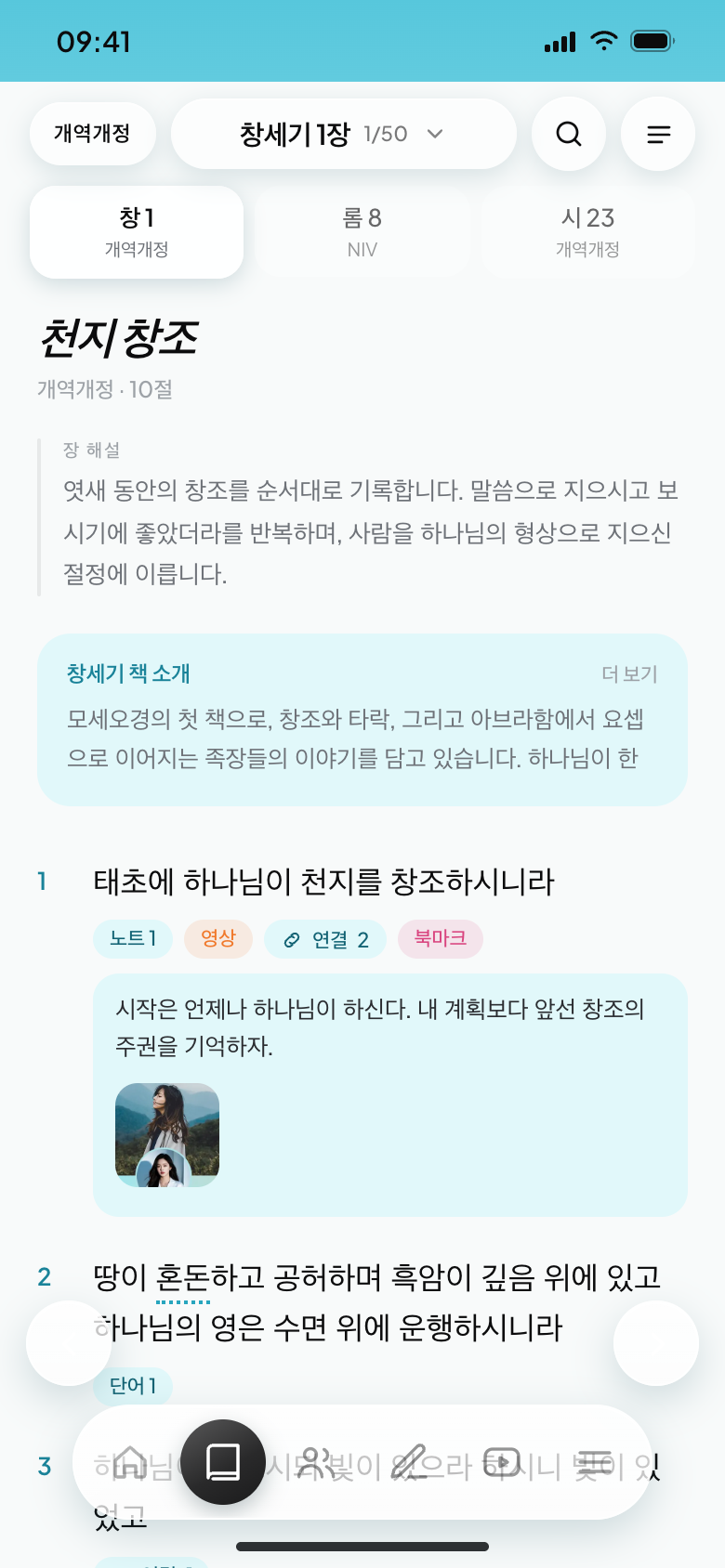
Keep three books
open at once

Genesis for your read-through, Romans for study, Sunday's Psalm — each in its own slot, one tap apart. Switch translations and your place stays put.

Parallel translations
Read two translations verse by verse, right under each other.
Your place, remembered
Every slot keeps its own scroll position and verse.
One-handed reading
Tap either edge of the screen to turn the page.
03 — READ BY SECTIONS

What if the Bible
had a table of contents?

The Bible spans 66 books, 1,189 chapters and thousands of sections. Yet Bible apps have only ever shown chapter and verse numbers — never where you are in the story.

Juwon Bible gathers the section headings into a single table of contents. Skim the headings and the whole book comes into view; tap a line and you're in the passage.
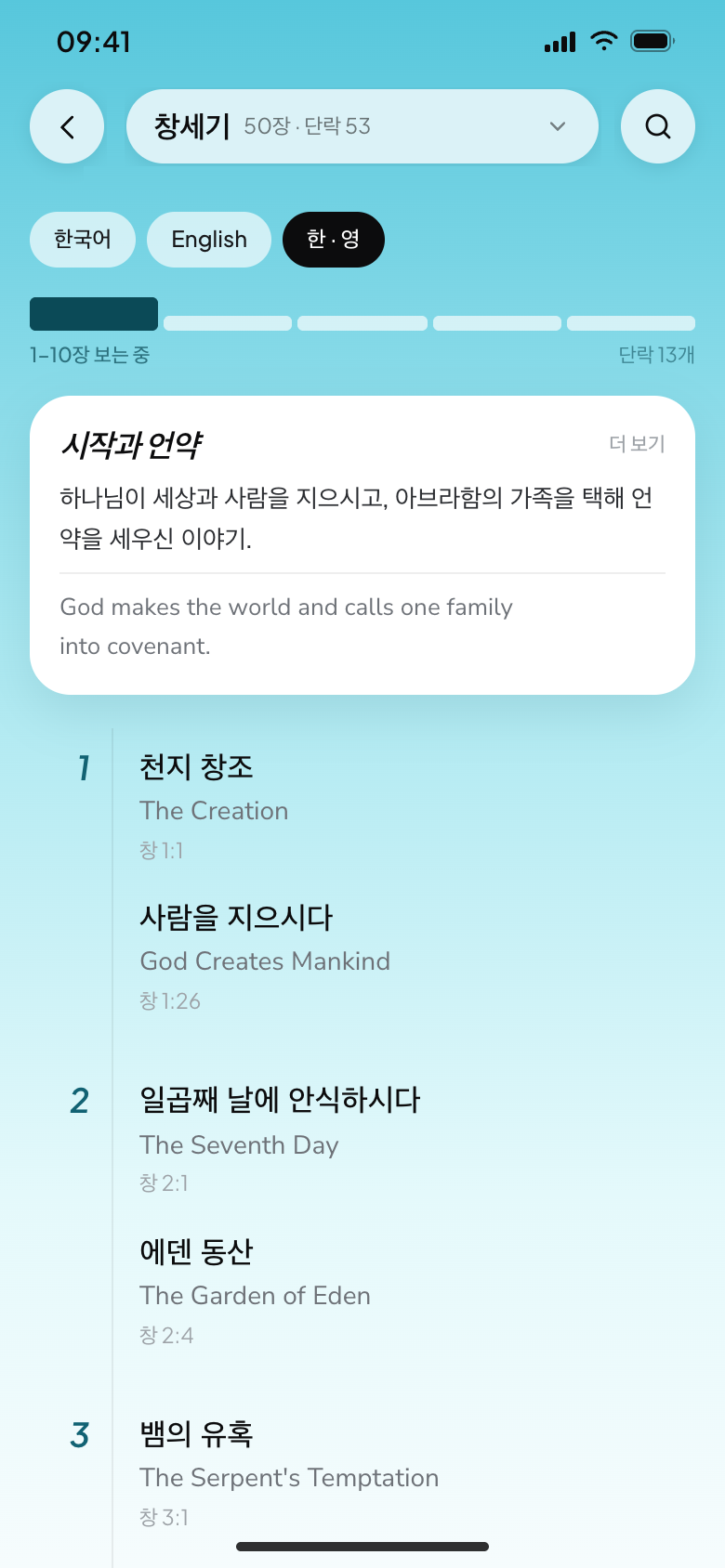
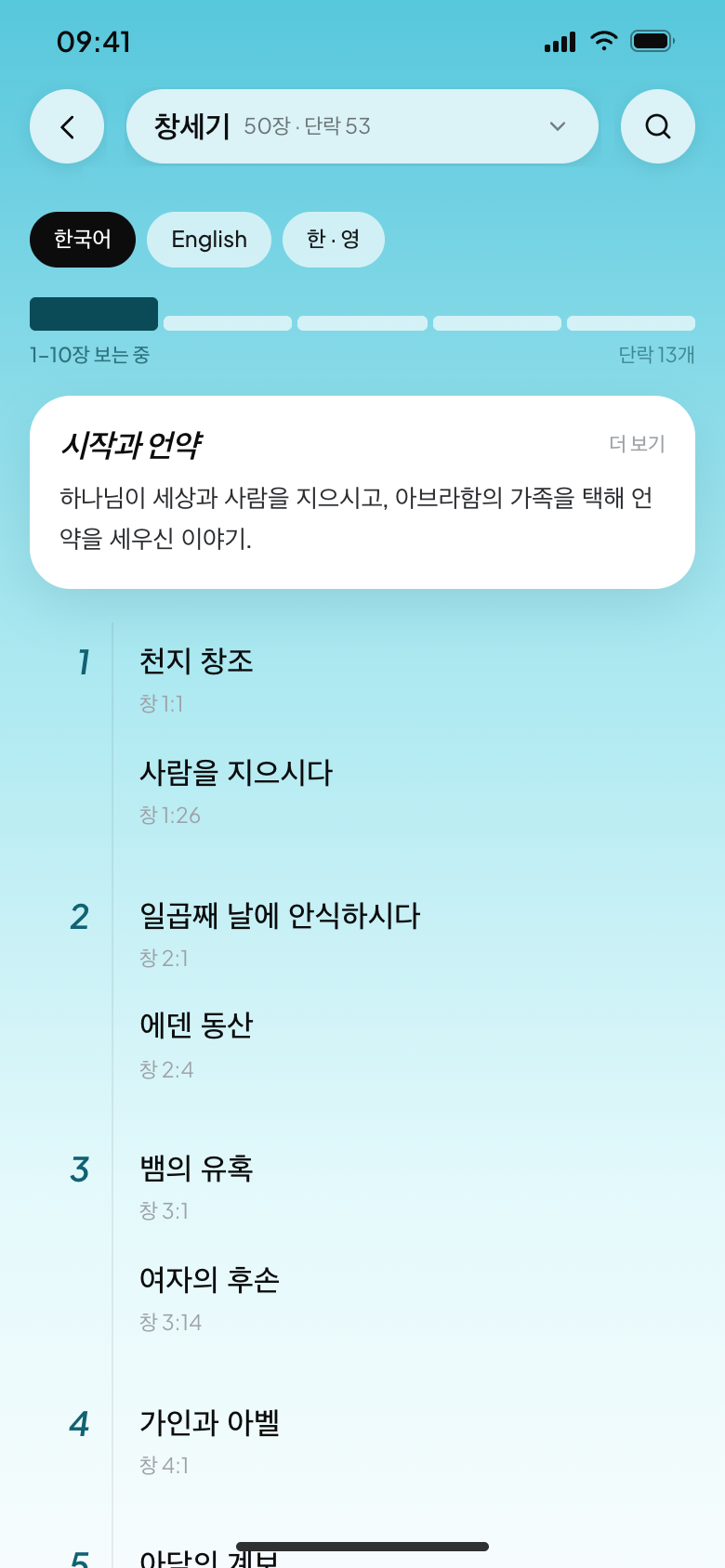
Contents at a glance
Skim a whole book by section headings, not chapter numbers.
Intro first
Theme, author and setting sit right above the contents.
Chapter ruler
Jump to any range — no endless scrolling.
한국어 · English
The same contents in two languages, side by side.
04 — SMALL GROUPS

Run your small group
right in the app

Built around real church small groups. Schedule and location, this week's passage, sheet music, attendance and prayer requests — all on one screen. No more juggling group chats, photo albums and spreadsheets.
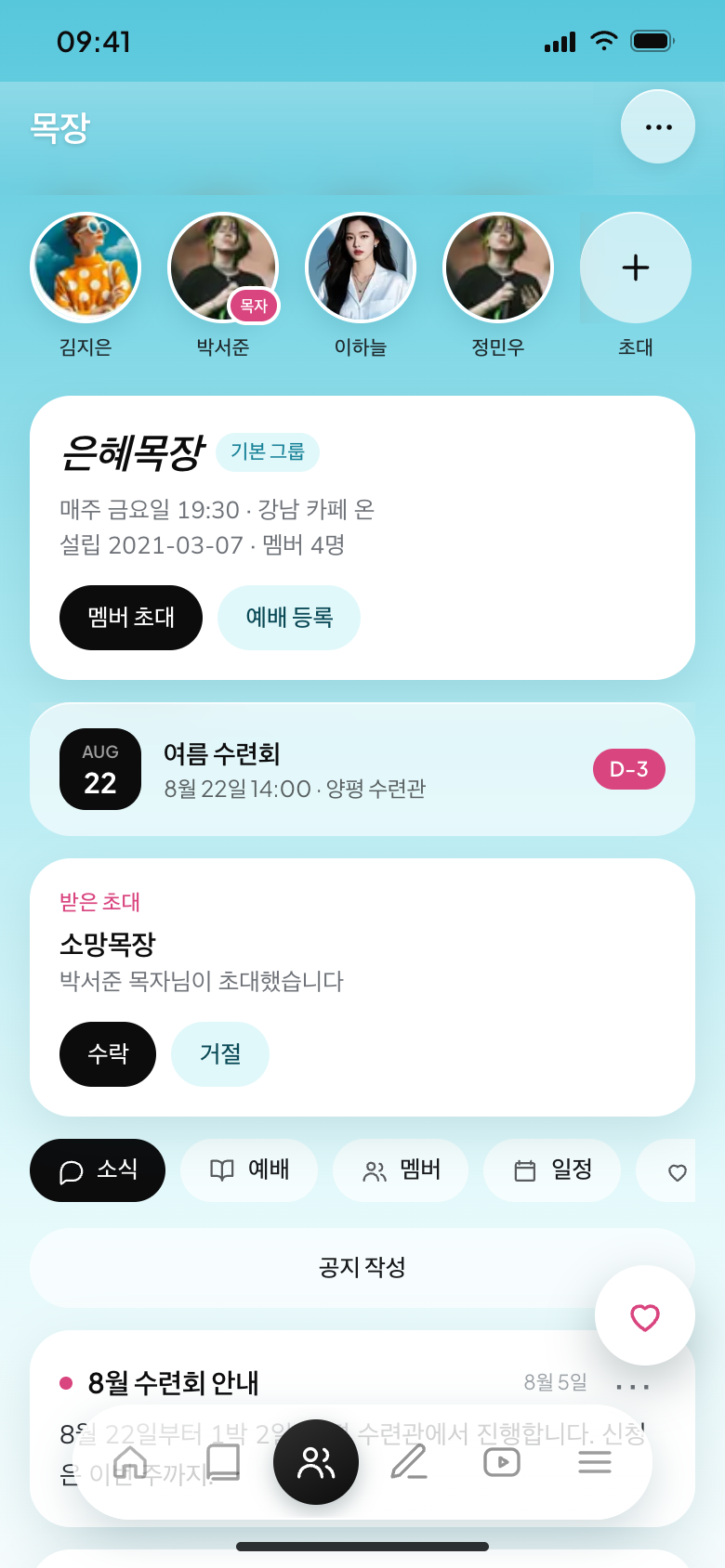
Meetings
Set a member's home as the venue in one tap
The passage
Prepare texts and questions before you meet
Sheet music
Upload multiple pages, pinch to zoom
Attendance & prayer
Check in with a tap, spot who's missing
05 — YOUR OWN BIBLE

Notes matter most
when you find them again

In other apps, notes disappear into a list you never revisit. Here, a mark appears right on the verse, and your notes stack up neatly by verse, chapter and book.

Add photos, too — handwriting in your print Bible, sermon notes, the place where a verse came alive. That's how it becomes your own Bible.


Visible in the text
Noted verses carry a mark, so you see at a glance where you wrote what.
Sorted by verse, chapter, book
Your notes file themselves — one search brings any of them back.
Photos attached
Handwritten margins, sermon notes, travel photos — pinned to the verse.
Genesis 1:1Verse noteAug 6
First light on the mountain. The first line of creation read differently today.
Psalm 23:4Verse noteJul 21
This verse came to mind by the sea in Jeju. Keeping it here with the photos.
Romans 8Chapter noteJul 14
The day our group read chapter 8 together — kept the faces from that day, too.
06 — THEMES

Colors that are
easy on your eyes

Five palettes, light and dark modes, and three languages. Try them right here.

THEME COLOR
APPEARANCE
LightDark
LANGUAGE
한국어English简体中文
NIVGenesis 1
The Beginning
NIV · 31 verses
1In the beginning God created the heavens and the earth.
2Now the earth was formless and empty, darkness was over the deep.
3And God said, "Let there be light," and there was light.
1 note2 links
WHY IT'S DIFFERENT

Bible apps have stood still
for twenty years

Other Bible apps
One book at a time — opening another means losing your place
Cross-references are tiny numbers that yank you to another screen
You took notes, but where? On what? No way to tell
No photos — handwriting and sermon notes pile up in your camera roll
Announcements in chat, photos in albums, attendance in a spreadsheet
Juwon Bible
Three books in slots, one tap apart
See a linked verse's book and chapter right where you're reading
Noted verses are marked, and notes sort themselves by type
Pin photos to verses and build a Bible that's yours
Schedule, passage, music, attendance and prayer — one screen
Chasing cross-references always meant losing my spot. Now they unfold right where I am — the flow never breaks.
Jieun Kim
Grace Group · 3rd year reading through
Prep used to take thirty minutes; now it's five. Upload the passage and the music beforehand, and you're done.
Seojun Park
Grace Group leader
I can choose whether a prayer stays private or goes to the group. That's what lets me write honestly.
Haneul Lee
Young adults
ABOUT THE NAME

What the Lord wants —
Juwon Bible

We believe every technology in this world is something God has allowed. With the talents He entrusted, we built one thing the Lord would want. That is Juwon Bible — in Korean, "Ju-won" means "what the Lord wants."

And Juwon is our son's name.

Juwon, you always prayed to God. I wish I had asked, even once, what you were praying for…

Beloved Juwon, rest easy at the Lord's side — Dad will see you again.

I miss you so much…

Tonight,
start with one chapter

Every feature is free. Sign in only to keep your notes and prayers in your account.

iOS 15+ · Android 9+ · Reads offline